OpenClaw
on Windows
The free 3-button OpenClaw installer for Windows.
① Install Ubuntu/WSL ② Install Node.js ③ Install OpenClaw — one click each, no commands to type. Free, no purchase or account needed.
Note: Windows SmartScreen may flag this as unrecognized since it's a new release. Click "More info" → "Run anyway" to continue.
The Windows dashboard for OpenClaw. Start free with Lite, or get Full for scheduled jobs that remember what's new, your own prompts, research folders, and results by email.
Compare Lite & Full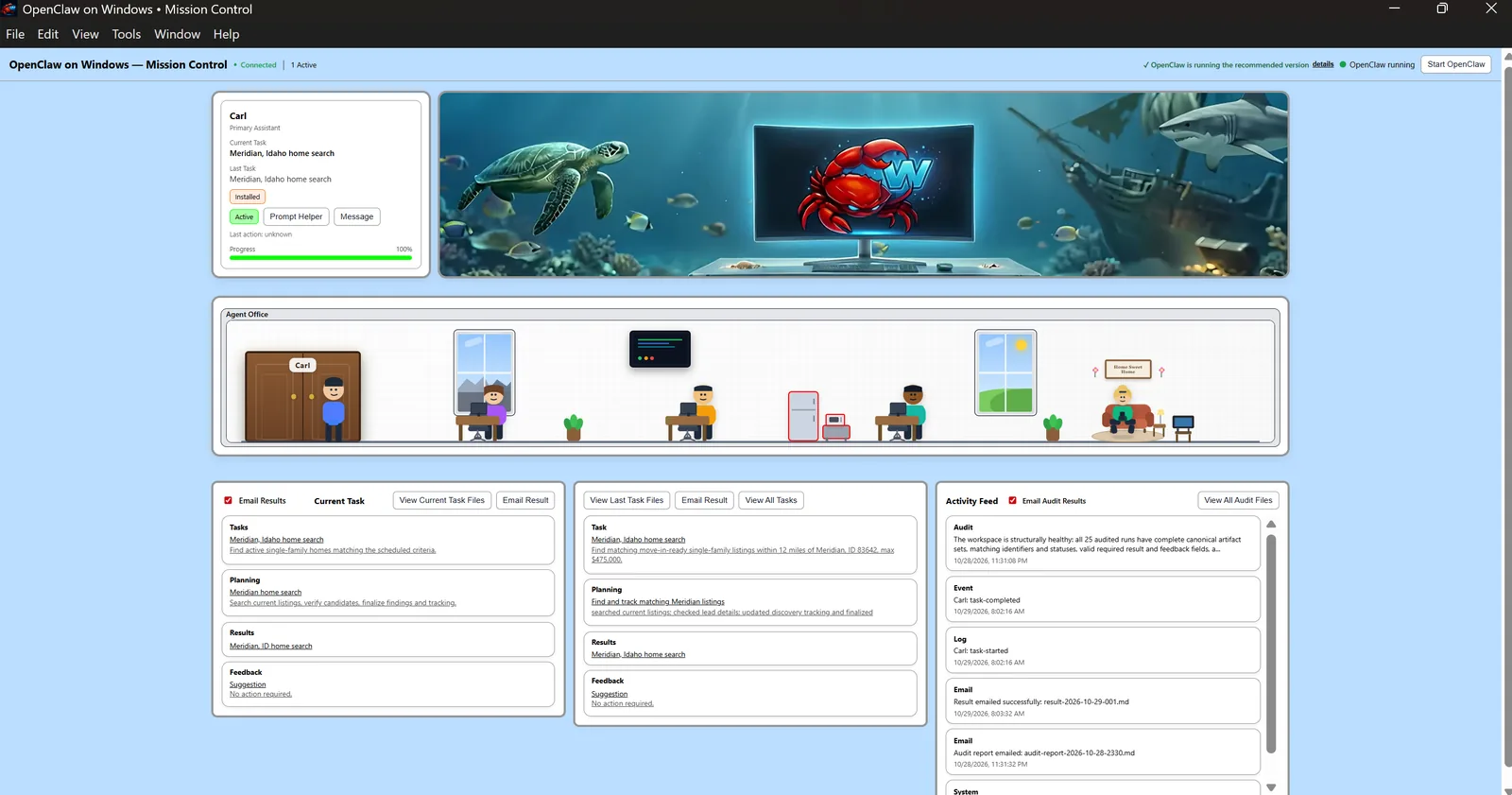
Meet Carl and the crew — your AI agents, working from the deep
Product Demo
Watch a short walkthrough showing setup, Mission Control, and local workflow usage.
Watch Demo ↗Two Pieces, Start Free
OpenClaw on Windows is a free, guided setup assistant that installs OpenClaw locally on Windows with step-by-step instructions — no terminal experience required.
Mission Control is the Windows dashboard for OpenClaw. Mission Control Lite is free. Mission Control Full adds scheduling, email, and the full template library as a one-time purchase.
Mission Control: Lite or Full
Same app, one download. It runs as Lite until you enter a license key — then Full unlocks on the spot, no reinstall.
Lite
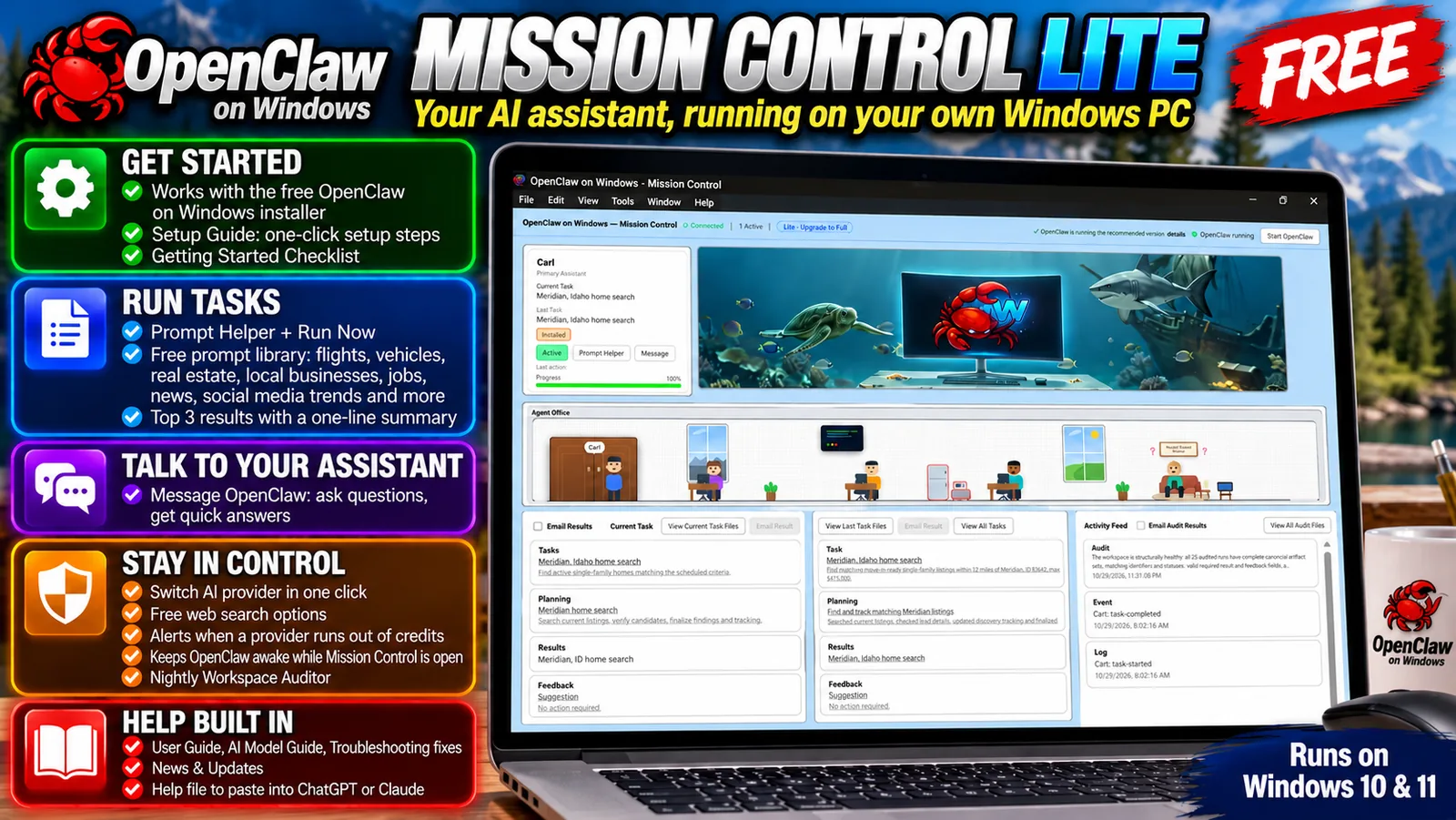
- Prompt Helper and Run Now for one-time tasks
- Free prompt library: flights, vehicles, real estate, local businesses, jobs, news and social media trends
- Top 3 results with a one-line summary
- Message OpenClaw: ask questions, get quick answers
- Switch AI provider in one click, with free web search options
- Alerts when an AI or search provider runs out of credits
- Keeps OpenClaw awake while Mission Control is open
- Setup Guide, Getting Started Checklist and a nightly Workspace Auditor
- User Guide, AI Model Guide, troubleshooting fixes and News & Updates
- One relevant, clearly disclosed affiliate link may appear at the end of a result
- No scheduled jobs, your own prompts, research folders, email or Heartbeat
Full
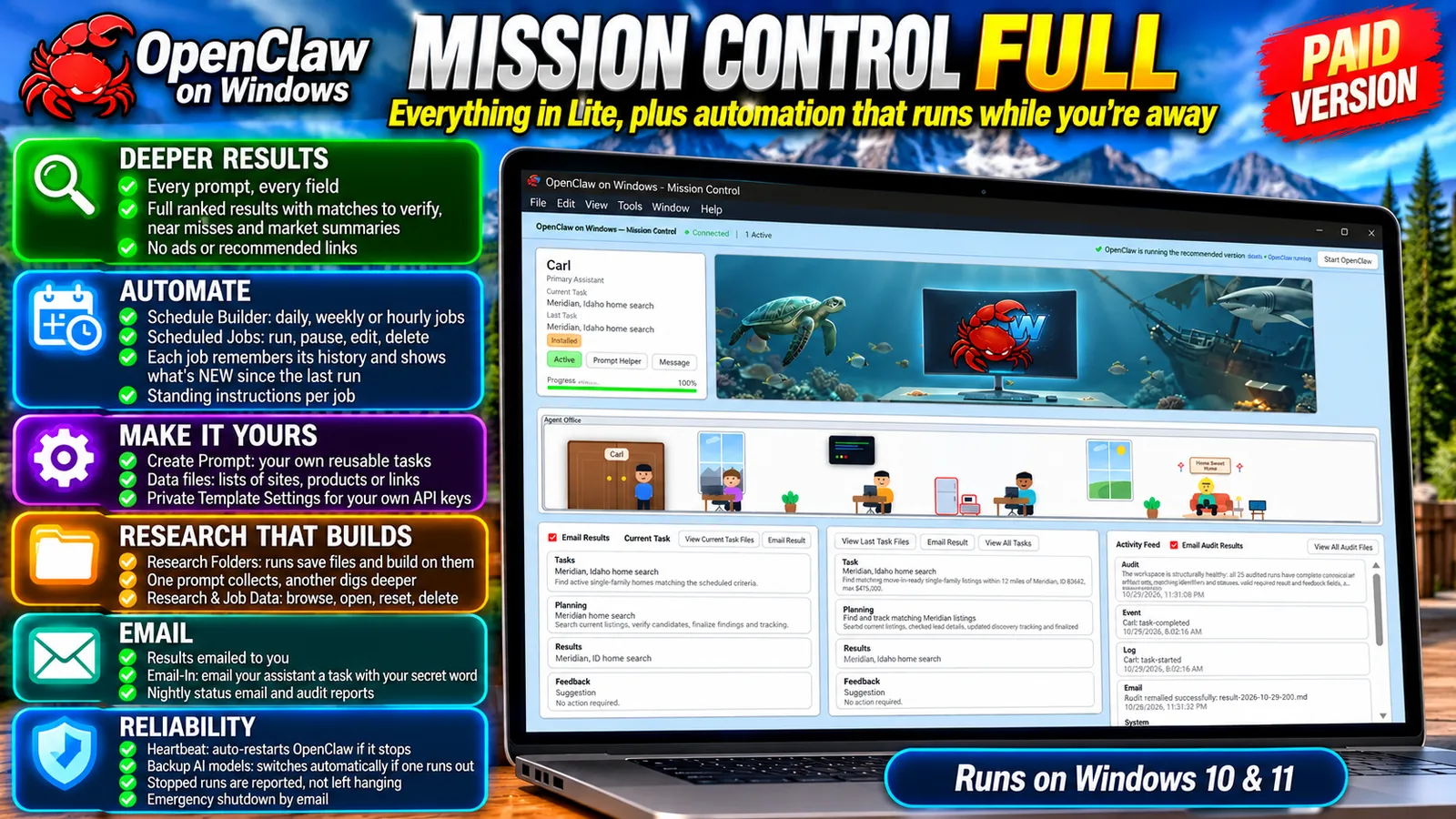
- Everything in Lite, with no ads or affiliate links
- Every prompt and every field, with full ranked results, matches to verify, near misses and market summaries
- Schedule Builder: daily, weekly or hourly jobs
- Scheduled Jobs: run, pause, edit or delete
- Each job remembers its history and shows what's new since the last run
- Create Prompt: your own reusable tasks, with data files and private Template Settings for API keys
- Research Folders that build on earlier runs, plus Research & Job Data to browse, reset or delete them
- Results by email, Email-In requests and nightly status emails
- Heartbeat auto-restart, automatic backup AI models and emergency shutdown by email
Already have Lite? Open Help > Upgrade to Full / License and enter your key. How upgrading works →
🧭 What Mission Control Does
Everything OpenClaw can do, without typing commands.
Prompt Helper & Run Now
Pick a ready-made prompt, fill in a few blanks, and run it. Results are ranked, summarized and saved right in Mission Control.
Message OpenClaw
Ask your assistant a quick question and get the answer back in Mission Control.
Provider Control
Switch AI provider in one click, use free web search, and get an alert when a provider runs out of credits.
Schedule Builder Full
Turn any task into a daily, weekly or hourly job. It runs on its own, in a fresh chat each time, and saves every result.
Jobs That Remember Full
Each scheduled job keeps its own notes and history, so results show what's new since the last run. Add standing instructions it follows every time.
Research Folders Full
Runs can save files and build on them - one prompt collects headlines weekly, another digs deeper. Browse, reset or delete them in Research & Job Data.
Email-In & Results Full
Email yourself a request from anywhere. Mission Control runs it and emails the result back - no need to be at your PC.
Create Prompt Full
Write your own reusable tasks in plain words, add data files to work through, and keep API keys private in Template Settings.
Heartbeat & Backups Full
Restarts OpenClaw if it stops, switches to a backup AI model if one runs out, reports runs that stall, and can shut down by email.
⚡ 3 Buttons. That's the Whole Install.
The free setup assistant walks you through installing OpenClaw with three one-click buttons — no commands to type or copy-paste.
① Install Ubuntu/WSL
One click sets up the Windows Subsystem for Linux environment OpenClaw runs on.
② Install Node.js
One click installs Node.js and nvm — the runtime OpenClaw needs.
③ Install OpenClaw
One click installs OpenClaw itself and walks you into onboarding — choose your AI provider, enter your key, and you're running.
Prefer typing your own commands? A Manual Setup path is still there for advanced users.
📧 Run Tasks From Your Inbox
Mission Control includes Email-In: send yourself an email and OpenClaw turns it into a real task automatically — no need to open Mission Control at all.
How it works
Set up a dedicated email account and a secret word in Mission Control's Email Settings. Send yourself a request with the secret word in the subject line, and Mission Control confirms receipt, runs it, and emails you the result. Ask for something recurring ("check gas prices every day at 8am") and it creates a real scheduled job automatically — the same as building one by hand.
Built-in safeguards
Only mail sent from and to your own configured address, with the correct secret word, gets acted on — everything else is left untouched. Destructive actions or anything touching credentials always require typing directly into Mission Control, never email alone.
🧪 Check Your PC Before Installing
Use the OpenClaw Compatibility Checker to review your Windows setup before buying or installing.
OpenClaw Compatibility Checker
Checks Windows version, WSL readiness, memory, disk space, virtualization, and common setup issues.
Download Compatibility Checker ↗Current Stable Version
This is the latest version we have tested and recommend for all users.
View Requirements ↗Having Issues?
Most problems have a quick fix — check Known Issues first.
If your setup is broken beyond that, the Reset Guide walks you through a clean reinstall, including what to back up first so you keep your license, custom templates, and saved settings.
Known Issues ↗ Reset Guide ↗